

The Drive 🤝 your inbox. Every weekday
The Daily Brief wraps up the biggest stories and our exclusive reporting on the auto industry and car culture.
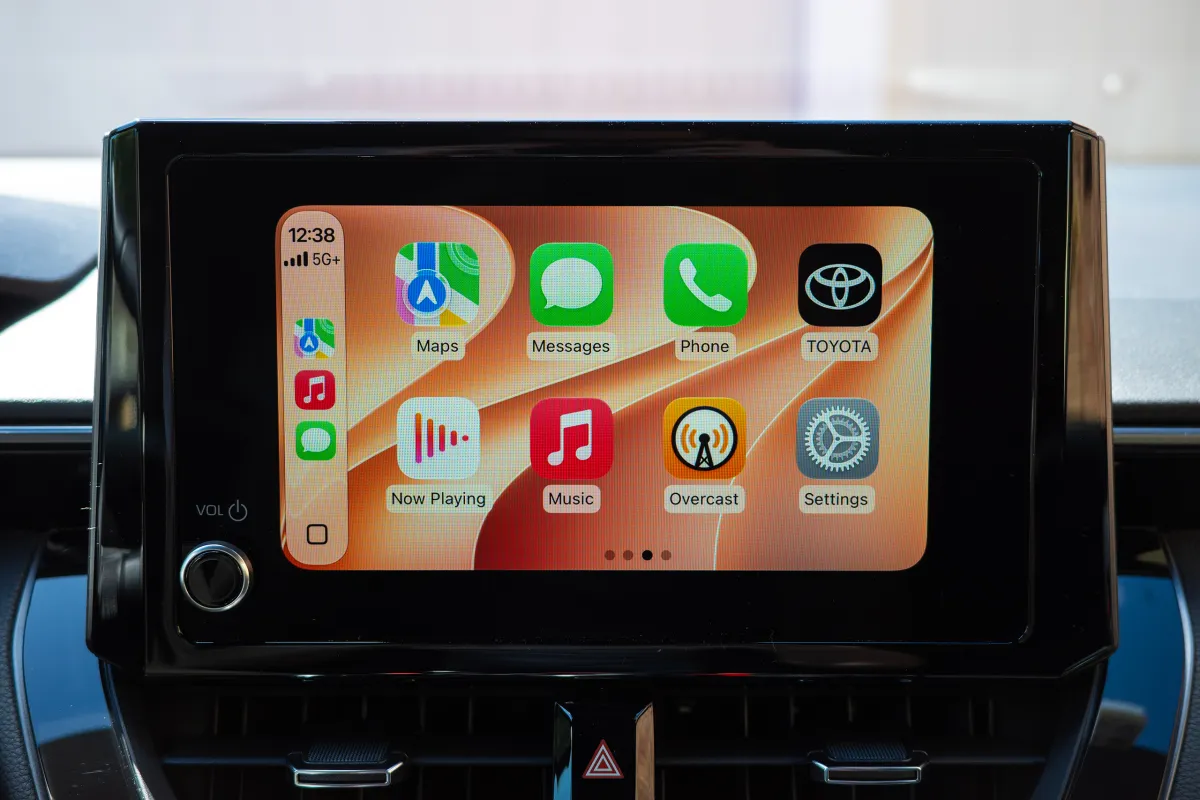
Today, iOS 27 goes live for iPhones, and while Apple is mostly focused on loads of AI features of dubious practical use, here at The Drive we’re mostly interested in what the big update will bring to CarPlay. Last year’s software added the love-or-hate Liquid Glass aesthetic, along with widgets and new options to tailor CarPlay’s UI scaling to your vehicle’s display size. But the 2027 update is arguably even more helpful—just in specific, tiny ways.
I have had iOS 27 on my iPhone 17 for a few days now, having installed the final, Release Candidate beta, which is essentially the same final version that most people will be downloading today. While most of the UI overhauling was done last year, iOS 27’s CarPlay looks a little more polished, with the Liquid Glass theme consistently covering more of the interface, extending to new wallpapers and animations.
On the widgets page, you’re no longer stuck with the very simplistic clock, calendar, and weather items Apple whitelisted for CarPlay—you can add any widget you like that would normally display on your iPhone’s home screen. That’s a really nice addition.
I added an MLB widget from Apple Sports to my CarPlay, which wasn’t possible before. Adam Ismail
You can also use the new Siri app to revisit conversations you’ve had with the occasionally intelligent digital assistant in the past, and I actually think this can, depending on the request, be more useful than trying to remember what you said previously that led to a successful query. Siri remembers that you asked it to “play the new Olivia Rodrigo album” or “text Jerry that the GR Corolla is better than the Civic Type R,” and you can just tap on these prior requests to initiate them again.
But my two favorite features are related to navigation and media playback. First, if you’re using Apple Maps to navigate, as I do, and you want to send your route to your car’s built-in maps software, you can now do that. In theory, this might be useful if your vehicle’s nav system has extra features that Apple Maps doesn’t, like routing with charging stops in mind for EVs. Depending on what you drive, you may get more or less mileage (no pun intended) out of this feature, but it should help bridge the gap between phone projection and automakers’ own platforms—a gap that some companies, like GM and Rivian, have used to justify that CarPlay shouldn’t be offered at all. For what it’s worth, my all-gas Corolla’s infotainment system didn’t support this one specifically.
And finally, users can now scrub through media within music and podcast apps—as in, drag the playhead through the length of the song to go to the desired spot. It’s frankly incredible that this wasn’t possible before, and I can’t for the life of me understand why, particularly as automaker infotainment platforms have offered the freedom.
Adam Ismail
One item that doesn’t appear to be broadly working yet is the ability to play videos over vehicle displays when parked. Apple and Google announced this earlier in the year at their respective developers conferences to great fanfare, but they each noted that automakers will have to whitelist the functionality in their products before it actually rolls out. The car needs to be able to share its drive state with iOS and Android for this to work reliably and safely, after all.
Got a CarPlay hack that makes your drive easier? Reach out to tips@thedrive.com
Backed by a decade of covering cars and consumer tech, Adam Ismail is a Senior Editor at The Drive, focused on curating and producing the site’s slate of daily stories.
