

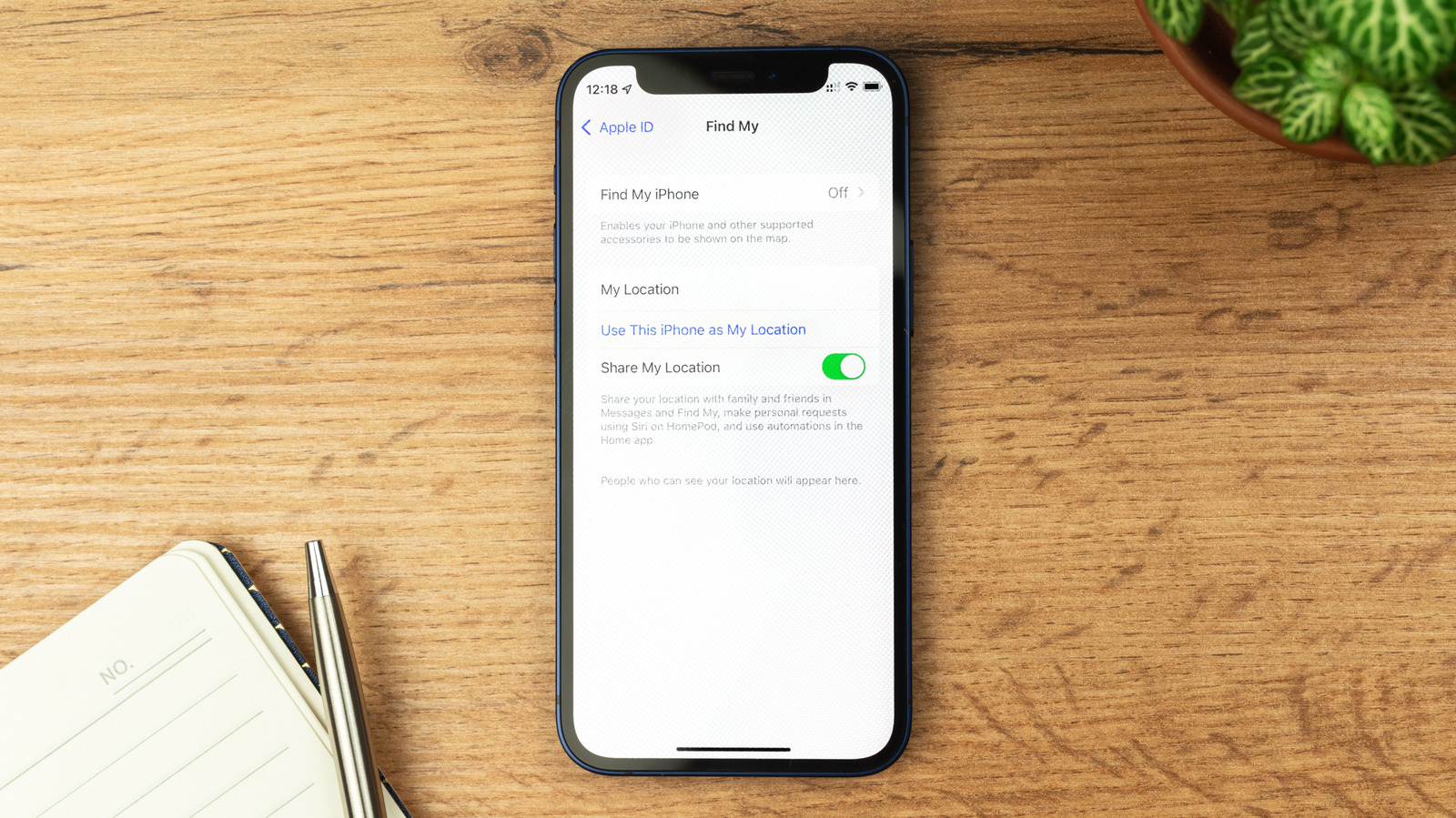
There are times when turning off Find My is necessary, but you should always have it on otherwise to keep your phone safe.
FellowNeko/Shutterstock
Apple’s Find My service will help you locate your iPhone, iPad or other Apple device that has been lost, stolen or simply misplaced. It relies on Apple’s Find My network, which is a crowdsourced system where other people’s Apple devices use Bluetooth to detect the location of your item — in some cases, even when it’s switched off. It then reports the approximate location of the device to you.
While the feature can be a life-saver, there are instances when you should switch it off. Primarily, Apple recommends disabling Find My before selling, giving away or trading in your device, as well as if you’re sending it in for repair. This ensures technicians won’t be hampered by security features and can properly run diagnostics to figure out what’s wrong with your device. However, disabling Find My at other times will reduce your phone’s security.
Disable Find My by resetting your device
If you’re selling or giving away your device, the process to factory reset your iPhone (Settings > General > Transfer or Reset iPhone > Erase all Content and Settings) is the easiest way to disable Find My. This will ask for your Apple Account password to make sure it’s you wiping the device, and automatically disables Find My as part of the reset process.
Importantly, turning off Find My also disables Activation Lock, which links your Apple Account to the device. When Activation Lock is enabled, your device cannot be used without entering your Apple Account credentials, even if someone factory resets it. This means someone who steals your iPhone can’t wipe it to resell it.
In case your phone was lost or stolen, erasing it remotely via Find My or iCloud on a computer will not switch off Find My and Activation Lock. Those features will continue protecting your device and letting you track it.
Manually disabling Find My
charnsitr/Shutterstock
If you’re not planning to factory reset your phone, such as when sending your device in for repairs, you’ll have to disable Find My manually. Thankfully, this is easy: go to Settings > [Your Name] > Find My. Tap Find My iPhone and then toggle it off. This option will be grayed out if Stolen Device Protection is enabled, which is the default as of iOS 26.4.
Stolen Device Protection implements additional security measures when your iPhone is away from familiar locations, such as your home or workplace. It’s designed to protect your data if someone steals your phone and knows your passcode. Your device will require Face ID or Touch ID to access sensitive info like stored passwords, and it adds a delay before changing crucial settings like your Apple Account password.
If you need to switch off Find My, you first have to disable Stolen Device Protection. You should ideally do this while at home to avoid the aforementioned security delays. To do so, go to Settings > Face ID & Passcode > Stolen Device Protection and toggle it off. To re-enable these features after your device is serviced, follow the same steps to toggle them back on.
Find My also lets you share your location with friends and family; if you disable it, this won’t work anymore. If you’re concerned about a particular friend having access to your location, removing their access is better than turning off the entire Find My suite. Open the Find My app, tap the People tab, choose the person, and hit Stop Sharing My Location. Unless they’re on an “older operating system,” they won’t be notified that you stopped sharing with them (though they may notice when they don’t see your name in the Find My app anymore). And others won’t know when you check their location using the app.
What happens when you turn off Find My?
The most obvious answer is also the most important: once you disable Find My, you cannot locate your device through Apple’s network anymore. If you lose your iPhone with Find My switched off, you won’t be able to check its location through the Find My app on another of your Apple devices or the iCloud site in a browser.
Find My’s suite of features also includes Lost Mode, which enables you to display a custom message with your number on the screen for anyone who finds it. This won’t be available once the feature is disabled, and Activation Lock will no longer protect the phone either. Because of all this, you should only disable Find My when you’re sending your phone to a trusted repair center, and re-enable the feature as soon as you get the phone back.
There’s one major scenario in which you should never disable Find My: after you’ve lost your device, especially if you receive intimidating messages about doing so. There are hundreds of stories on Reddit about people who lost their phones and later received messages demanding they disable Find My. They’ll threaten to publish the personal data on your phone, or make up sad stories about wanting to harm themselves because the phone they bought for their child isn’t working.
If this happens to you, do not remove the device from your Apple Account. Because of Activation Lock, your lost phone is useless to someone who’s stolen it and is trying to resell it — as long as you keep Find My enabled. You can erase the phone to know your data is safe, but don’t give these crooks what they want.
