

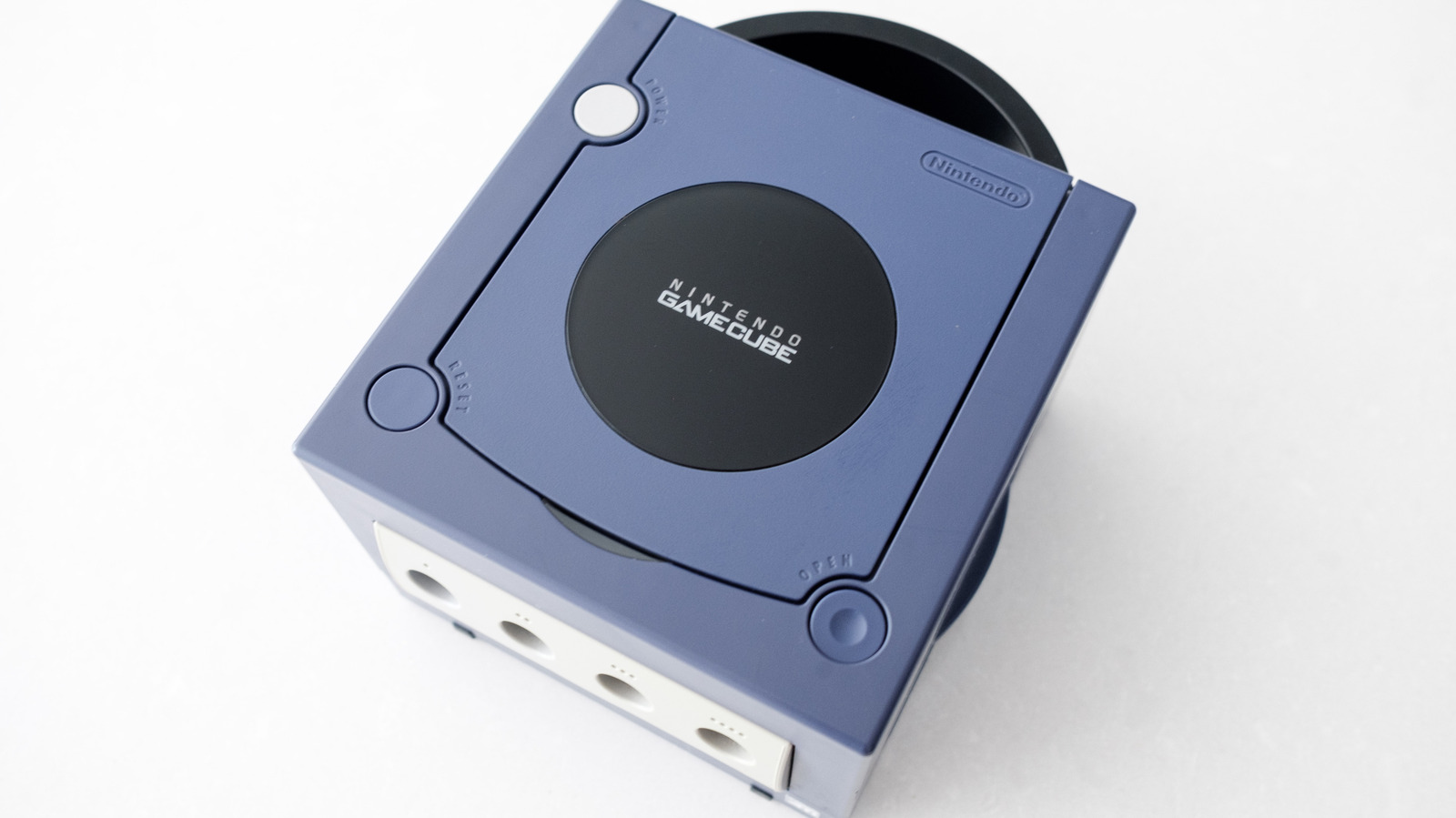
A single adapter could be all you need.
Igor Bonifacic for Engadget
With the 25th anniversary of the GameCube rapidly approaching, it’s never been a better time to revisit Nintendo’s sixth generation console. Sure, it might have been less popular than the PlayStation 2, but the GameCube had some incredible games that still hold up today, including The Legend of Zelda: The Wind Waker and Metroid Prime. Some releases, like Resident Evil 4, were even better on the GameCube than on PS2.
The one issue with revisiting the GameCube is that it was designed to work with analog CRT TVs, not modern LCD and OLED TVs. In 2026, most TVs don’t have analog inputs anymore. Thankfully, the console is still modern enough that you can connect it to a newer television without too much work. In this guide, I’ll explain how you do exactly that.
The model of GameCube is important
Igor Bonifacic for Engadget
First, some bad news. Not all GameCubes were created equally. Between the time Nintendo first released the console in Japan on September 14, 2001 and eventually discontinued it in early 2007, the company made one major revision to the hardware to cut costs. Unfortunately, if you own that later model, it’s harder to connect your GameCube to a modern TV.
Ideally, what you want is a DOL-001 model GameCube. If you own a DOL-101 variant, things are more complicated. This is because the latter is missing a Digital AV Out connection. In the US and other NTSC regions, this port was originally designed to allow the GameCube to output a 480p signal over a set of component video cables Nintendo sold separately. In 2026, a handful of companies make adapters that use that same port to allow the GameCube to output video over HDMI to a modern TV.
How to find out if you own a DOL-001 GameCube
Finding out whether you own a DOL-001 GameCube is easy. If the back of the console has two audio-video ports, with one labeled Digital AV Out, you’re in luck. Another way to check is to flip the console over and read the label on the bottom. If it says DOL-001 toward the top, you have the correct model.
How to connect a DOL-001 GameCube to an HDTV
Igor Bonifacic for Engadget
With the right variant, playing GameCube games on an LCD or OLED TV is as simple as buying an adapter and connecting the two devices over HDMI. While you can find plenty of cheap HDMI adapters online, I recommend spending a bit more to buy the Retro-Bit Prism HD Adapter. Retro-Bit makes great stuff, and its GameCube adapter is no exception. Most GameCube HDMI adapters rely on open-source software called GC Video. The Retro-Bit comes with a USB-C port to make updating that software easy; no need to take apart the device.
Another option is the Carby from Insurrection Industries or, for a more affordable alternative, consider Bitfunx’s offering. Just note, depending on the dongle you buy, you may also need to get a separate HDMI cable if don’t have a spare.
Once you have an adapter, all you need to do is plug it into your GameCube’s Digital AV Out port, and then connect an HDMI cable from the adapter to you TV. All three of the models recommended above come with a remote that allows you to bring up GC Video’s on-screen menu to adjust settings like output resolution.
Now this is where things get a bit more complicated. To get the best image quality from your GameCube, you’ll want to consult this webpage to find out if you own any games that support 480p output. If you find one that does, pop it your console first and hold down the B button on your controller as the game boots up. You will see a dialogue that asks “Enable progressive scan display?” Select Yes. Provided the game supports this feature, progressive scan will give you the best possible image quality from the old console. Some games also support native widescreen output. Typically, you can enable this from the settings menu of a compatible game.
What about the DOL-101?
If your GameCube doesn’t have a Digital AV Out, your best bet is a device like RetroTINK-2X Mini that can convert the analog signal from your console to a digital one. You can take the composite cables that came with your GameCube and connect them to RetroTINK-2X Mini, and then connect an HDMI cable from that device to your TV. RetroTINK also sells devices that can upscale the signal from GameCube, but those are quite expensive and only worth it if you have a collection of retro consoles.
Bonus: Nintendo Switch Online
Nintendo
If all of the above sounds like a hassle, emulation can provide another path to play your favorite GameCube games on a modern TV. If you own a Switch 2, Nintendo offers a selection of emulated GameCube games through its Nintendo Switch Online service. You’ll need to pay for the $50 per year Expansion Pack tier to access the Switch 2’s GameCube library.
Despite its limited selection of games, the Switch 2 is a great way to experience some of the GameCube’s best games. The console outputs the games at 900p, meaning they’ll look sharper on modern TV. What’s more, games that include multiplayer, such as F-Zero GX, offer online play, with support for up to four players, and there’s even support for controller remapping.
As of August 2026, there are nine GameCube games available through Nintendo Switch Online, with two more on the way. See the full list below:
- The Legend of Zelda: The Wind Waker
- Soulcalibur II
- F-Zero GX
- Super Mario Strikers
- Chibi-Robo! Plug Into Adventure!
- Luigi’s Mansion
- Wario World
- Fire Emblem: Path of Radiance
- Pokémon XD: Gale of Darkness
- Super Mario Sunshine (August 13, 2026)
- Pokémon Colosseum (TBA 2026)
If you already own a collection of old GameCube games, another option is to emulate your library by connecting a PC or laptop to a TV. The Dolphin emulator has been around for more than two decades. It’s free, extremely stable and has additional features that can improve the experience of playing older games like resolution scaling and custom save states. You don’t need a powerful machine to run Dolphin: Virtually every Windows or Mac machine made in the past decade can run any game, but advanced graphical options can require a little more horsepower.
